
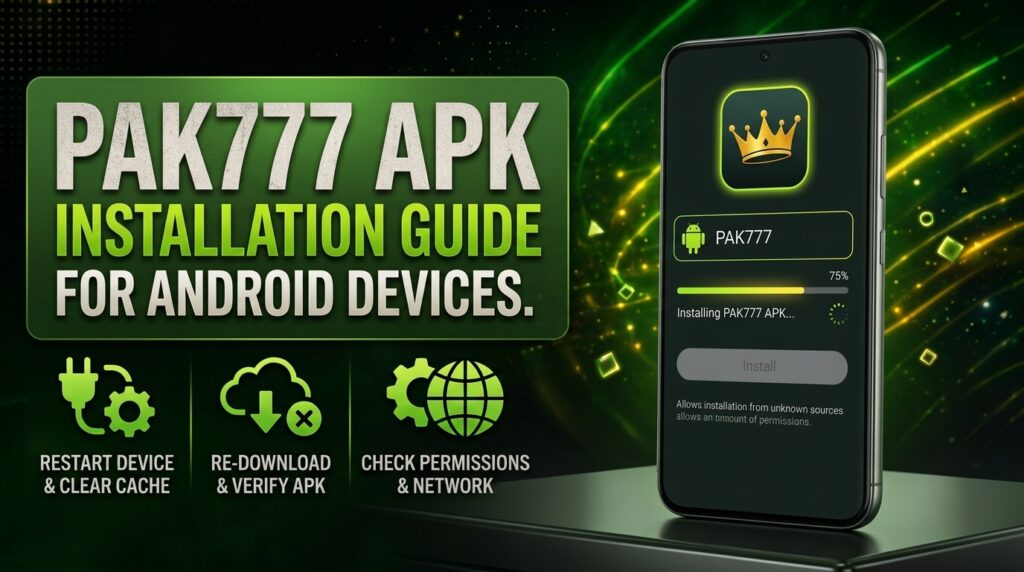
To complete your PAK777 APK installation on Android, start by visiting our official website at our official website at https://pak777.io. Click the Download APK button to get the latest version directly from us. Before installing, go to your phone’s Settings > Security and enable ‘Install unknown apps’ for your browser or file manager. Once downloaded, open the APK file from your device’s Downloads folder, review the permissions we request, and confirm the installation. Make sure your device runs Android 6.0 or later, has at least 200 MB of free storage, and 1 GB of RAM for smooth performance. We recommend checking the file size (around 45–60 MB) and ensuring the URL is exactly https://pak777.io to avoid fake versions. After installation, launch the app and sign in with your registered number. If you run into issues, our troubleshooting guide can help. Always keep your APK updated through our site to ensure security and performance.
Download the Official PAK777 APK from the Trusted Source
To ensure you’re getting the genuine PAK777 APK without risk, always download directly from our official website at our official website at https://pak777.io. This is the only verified source—third-party sites like pakgamez.com.pk or subdroid.net may offer outdated or tampered versions that could harm your device or compromise your account. Once you’re on our site, click the Download APK button and wait for the file to finish saving to your phone’s Downloads folder. Before installing, go to Settings > Security and enable ‘Install unknown apps’ for your browser or file manager. Check the file size (typically between 45–60 MB) and confirm the URL is exactly https://pak777.io to avoid fake copies. After downloading, open the APK file, review the permissions we request, and tap Install. If you see any error messages, our troubleshooting guide can help. Always update your app through our site to stay secure and up to date.
Enable Installation from Unknown Sources
To install the PAK777 APK, you’ll need to enable installation from unknown sources in your Android settings. Go to Settings > Security (or Privacy on older versions), then find and toggle on ‘Install unknown apps’. You’ll see a list of apps that can install APKs—select your browser or file manager (like Files by Google) and allow it. This step is required because Android blocks apps from sources outside the Play Store by default. On Android 11 and later, the path might be Settings > Privacy > Special app access > Install unknown apps. Once enabled, return to your download and tap the APK file to begin installation. If you don’t see the option, check that your device isn’t managed by a work or school profile. Always ensure you’re downloading from https://pak777.io to stay safe. If you run into issues, our troubleshooting guide can help.
Verify Your Device Meets Minimum Requirements
| Requirement | Minimum Specification |
|---|---|
| Android OS Version | Android 6.0 (Marshmallow) or higher |
| Available Storage | At least 200 MB free space |
| RAM | 1 GB minimum |
Review the APK File’s Security and Integrity
Before installing the PAK777 APK, always check the file size—it should be approximately 45 to 60 MB. This helps confirm you’ve downloaded the genuine version and not a modified or malicious file. Most importantly, verify that the download URL in your browser matches exactly: https://pak777.io. Any deviation could mean you’re on a spoofed or unsafe site. We never distribute the APK through third-party platforms, and using unofficial sources increases the risk of malware or data theft. Double-checking the URL and file size is a quick but vital step to keep your device and personal information secure. If anything looks off, stop the process and return to our official site to download again. Once confirmed, you can proceed with installation with confidence. For more on protecting your account, our account security guide covers best practices for safe use.
Install the APK File Using Your Device’s File Manager
Once you’ve downloaded the PAK777 APK file, open your device’s File Manager and locate the file—typically in the Downloads folder. Tap the APK file to begin installation. If prompted, confirm that you want to install an app from an unknown source; this is required because we’re installing outside the Google Play Store. Review the permissions the app is requesting—these are standard for gameplay and account access. Tap ‘Install’ to proceed. Wait for the process to complete; this usually takes just a few seconds. Once installed, you’ll see a ‘Done’ or ‘Open’ button. Tap ‘Open’ to launch the PAK777 app and begin using it. If you encounter any errors during this step, check your device’s storage and ensure your Android OS is up to date. For help with common issues, our troubleshooting guide has clear steps to resolve most problems quickly.
Troubleshoot Common Installation Errors
| Advantages | Drawbacks |
|---|---|
| Clearing app cache can resolve conflicts that prevent installation, especially after failed attempts. | Clearing cache may log you out of the app if you haven’t backed up your session, requiring re-login. |
| Updating your Android OS ensures compatibility with the latest PAK777 APK, reducing installation errors. | Updating the OS can take time and data, especially on older devices or slow connections. |
| Using our dedicated fix guide provides step-by-step, verified solutions tailored to real user issues. | Fix guides may not cover every rare or device-specific error, requiring direct support for complex cases. |
Confirm the App Is Running After Installation
Once the installation finishes, open the PAK777 app from your app drawer or home screen. The app should launch without delays. If you see the main game menu, you’ve successfully installed the app. This screen shows all available games and options. It means your device is ready to play. If the app crashes or shows an error, close it and try again. Make sure you’re using the official APK from our website. If the problem continues, check your device’s storage and permissions. You can also restart your phone and try launching the app again. If the app still won’t open, our troubleshooting guide can help you fix common issues. We’re here to support you every step of the way.
Stay Updated with the Latest PAK777 APK Version
We regularly release new versions of the PAK777 APK. These updates improve app speed, fix bugs, and strengthen security. Always download the latest version from our official website. This ensures you get a safe, stable, and fully working app. Third-party sites may offer outdated or tampered files. These can harm your device or compromise your account. Our site is the only verified source. It gives you the most current version with full support. Check back often for updates. We push changes as needed. Keep your app up to date for the best experience. If you’re unsure, visit our download page to confirm you’re using the right file. Our full guide to app updates explains how to check and install new versions safely.
Understand Why Third-Party APK Sites Are Risky
Third-party sites like pakgamez.com.pk or subdroid.net are not safe. They often host outdated or altered versions of the PAK777 APK. These files can contain malware. They might steal your personal data. They could even lock your device. We never share our APK files through these sites. Only our official website delivers the real, unmodified version. Always double-check the URL before downloading. Make sure it’s https://pak777.io. Never trust a download from a random site. It’s not worth the risk. Our app is built to keep you safe. Use only trusted sources. If you’re unsure, go directly to our download page. Our full guide to app updates explains how to check and install new versions safely.
Protect Your Account After Installation
Once you’ve installed the PAK777 app, your security is our top priority. Never share your password, OTP, or payment details with anyone. Not even our support team will ever ask for these. Use a strong password with letters, numbers, and symbols. Consider enabling two-factor authentication if it’s available in your account settings. This adds an extra layer of protection. Always log out when using a shared device. Keep your phone’s security settings up to date. Avoid using public Wi-Fi when logging in. If you see a suspicious message, report it right away. Protect your account like you would your wallet. Our full guide to account security explains how to manage your settings safely.
Access Your PAK777 Account for the First Time
To access your PAK777 account for the first time, open the app and tap the ‘Login’ button. Enter your registered phone number exactly as it was used during registration. We’ll send a one-time password (OTP) to that number to verify your identity. Check your phone’s messaging app for the code, then enter it into the app within the time limit. If you don’t receive the OTP, tap ‘Resend’ or check your spam folder. Once verified, you’ll be logged in and can start exploring games and features. Keep your phone number secure and never share your OTP with anyone. If you’re having trouble, our full guide to account security explains how to manage your settings safely.
Check for App Updates in the Settings Menu
To make sure your PAK777 app runs smoothly and securely, check for updates directly inside the app. Open the app and go to the Settings menu—usually found in the bottom navigation bar or under your profile icon. Look for an option like ‘Check for Updates’ or ‘App Version’ to see if a newer version is available. If an update is found, follow the on-screen prompts to download and install it. We regularly release updates to fix bugs, improve performance, and enhance security. If the app doesn’t show an update option, visit our official website at https://pak777.io to download the latest APK file directly. Always ensure you’re using the most current version to enjoy the best experience and protect your account. For help with any update issues, our full guide to account security covers common setup concerns.
Keep Your Device Secure During Use
We take your security seriously. Always keep your device protected while using the PAK777 app. First, enable full device encryption. This locks your data if your phone is lost or stolen. Next, install a trusted antivirus app. It scans for malware and blocks threats before they cause harm. Avoid using public Wi-Fi networks. They’re often unsecured and can let hackers intercept your login details. Stick to your mobile data or a private, password-protected network. Never share your password or OTP with anyone. Keep your Android OS updated. Updates often include critical security patches. If you notice anything strange, log out immediately and contact our support team. For more on protecting your account, visit our full guide to account security.
Report Issues to the PAK777 Support Team
If you’re still having trouble after following our installation steps, don’t worry. We’re here to help. First, make sure you’ve downloaded the APK only from our official website. Never use third-party links. If the app won’t install, check that you’ve enabled ‘Unknown Sources’ in your Android settings. Try restarting your device. If the error persists, clear the cache in your device’s Settings under Apps. Still stuck? Contact our support team directly. You can reach us through the in-app help section. Just tap Support, then choose your issue type. We respond quickly to all messages. For urgent problems, we offer live chat during business hours. Our team is trained to guide you step by step. We’ll help you resolve login or installation issues fast. For more details, visit our full guide to troubleshooting.

Pingback: PAK777 APK download: Safe Installation Steps - Pak 777
Pingback: PAK777 APK parse error: Common causes and solutions - Pak 777